
Need help? Open a support ticket and include the domain name, current registrar, and any error message you see. Do not share passwords in the ticket.
Use this guide for store-builder and website-builder providers. The words vary by provider, but the process is the same: unlock the domain, get the transfer/auth code, then start the transfer at High Octane Hosting.
Before you start
- Make sure the domain is eligible to transfer. Many registrars block transfers for 60 days after registration, transfer, or some contact changes.
- Make sure the registrant/admin email address is current and accessible. Transfer approval and auth-code messages usually go there.
- Unlock the domain at the current registrar.
- Get the authorization code, EPP code, auth code, or transfer key from the current registrar.
- If the site is already live, review DNS before checkout. Nameserver/DNS changes can be limited while a transfer is active.
- Do not cancel the old account or hosting until the transfer and DNS are confirmed working.
Shopify-managed domains
- Sign in to Shopify Admin.
- Go to Settings > Domains.
- Select the domain you want to transfer.
- Choose the option to transfer the Shopify-managed domain to another domain provider.
- Follow Shopify's confirmation steps and copy the authorization code.
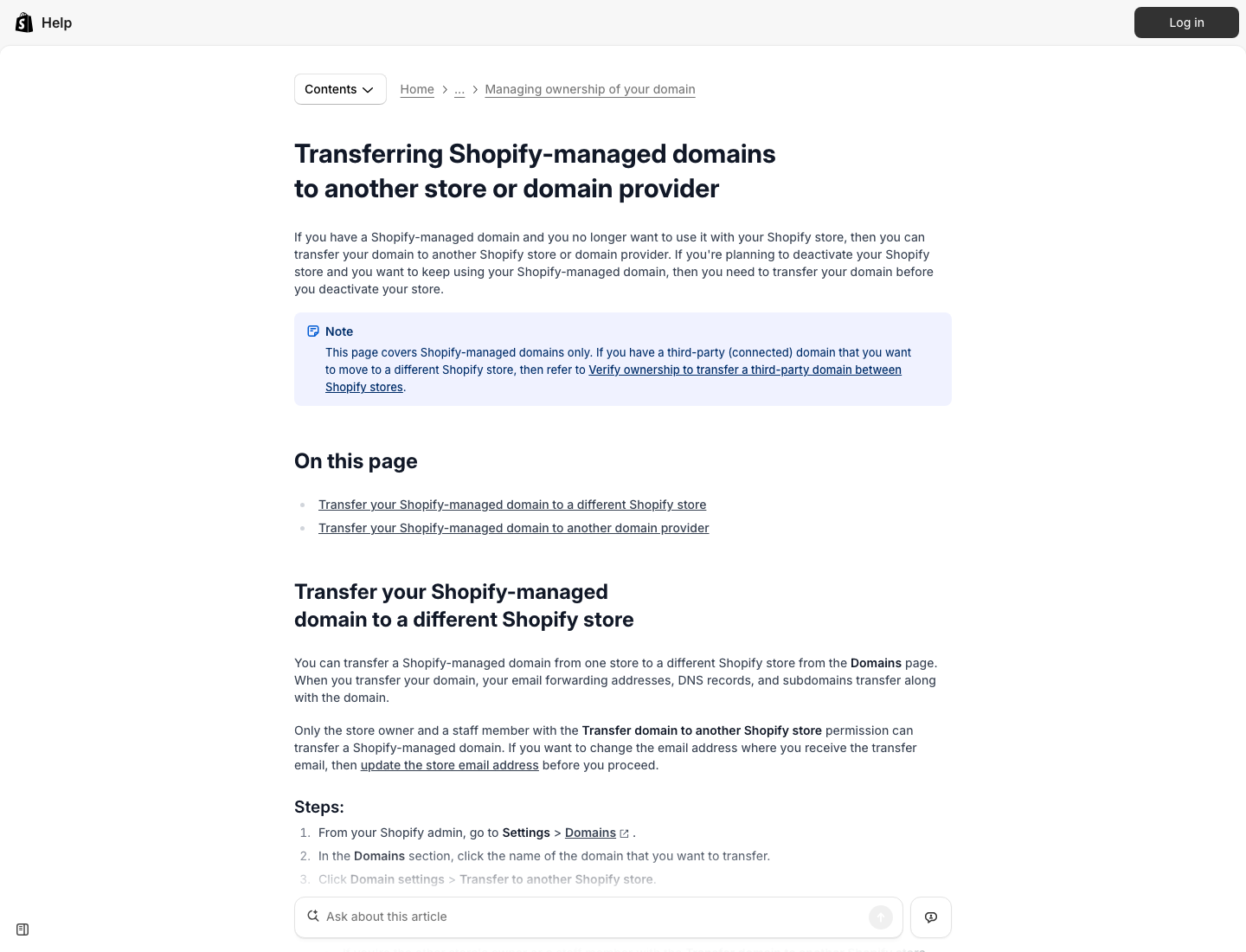 Rendered screenshot from Shopify's current help center. Source: Shopify - transferring Shopify-managed domains.
Squarespace domains
- Sign in to Squarespace and open the Domains dashboard.
- Select the domain.
- Unlock the domain if it is locked.
- Email or reveal the transfer authentication code.
- Use that code on the High Octane Hosting transfer page.
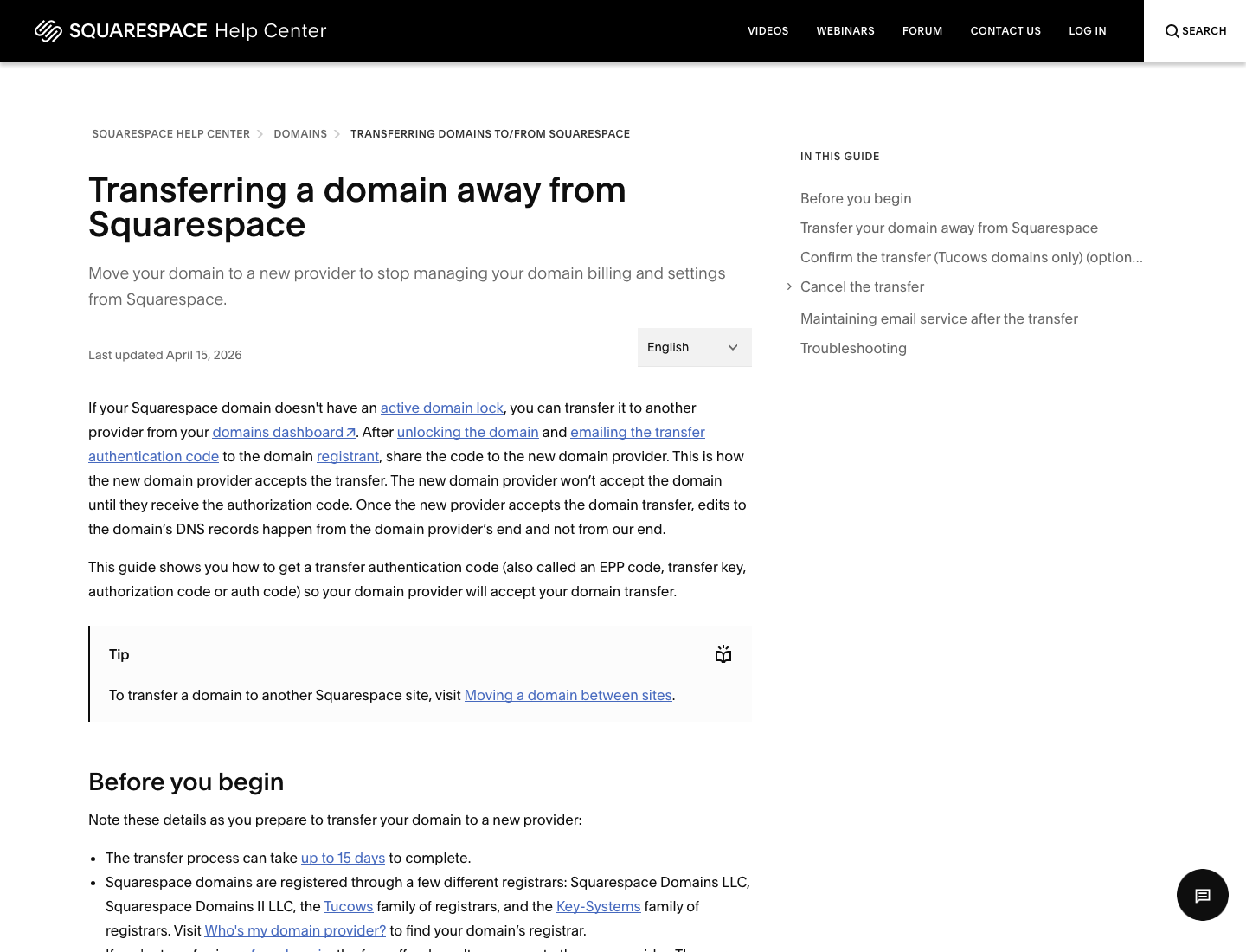 Rendered screenshot from Squarespace's current help center. Source: Squarespace - transferring a domain away.
Wix domains
- Sign in to Wix.
- Go to the Domains area.
- Open the domain actions menu for the domain.
- Select the option to transfer away from Wix.
- Copy the transfer code or watch for the email containing the code.
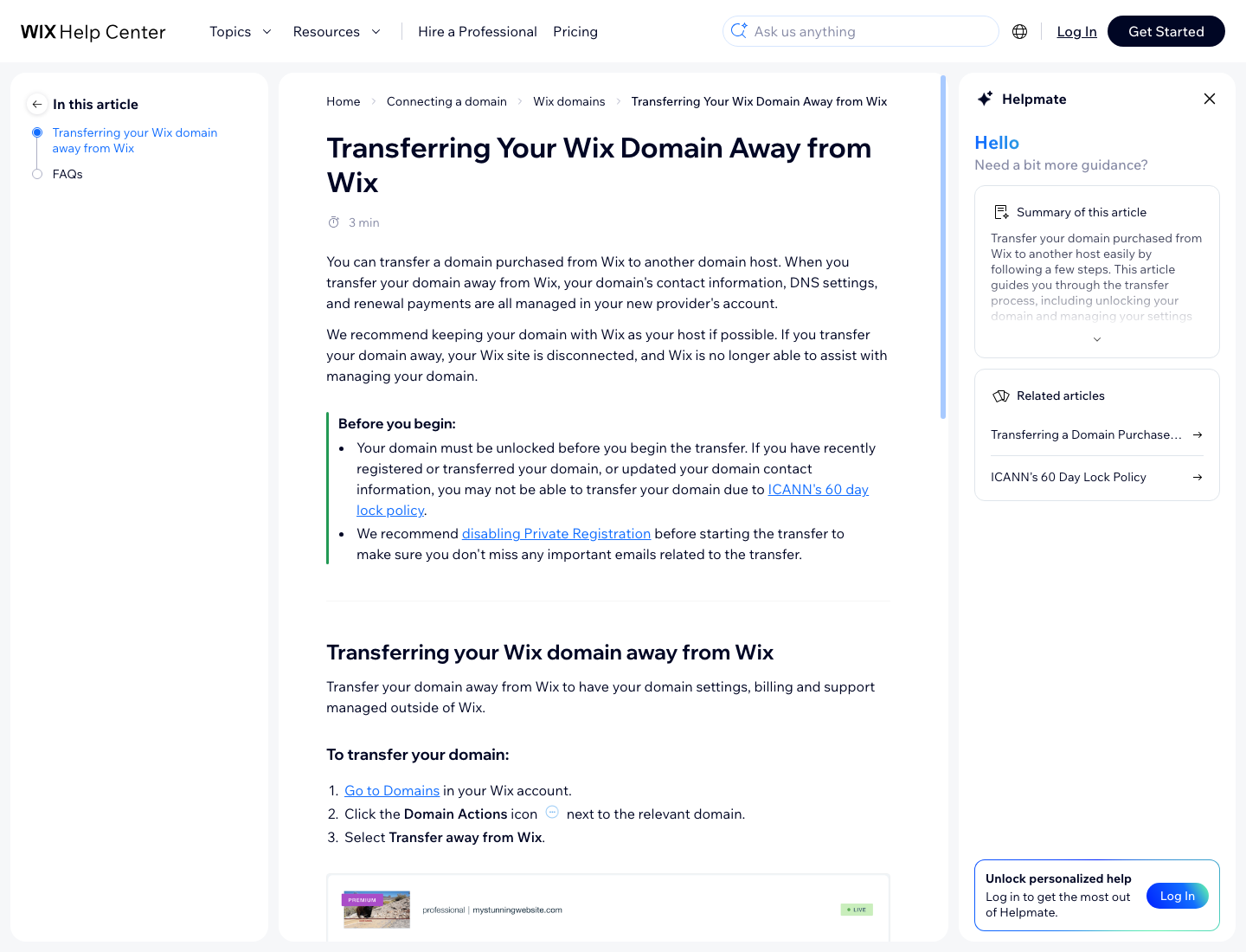 Rendered screenshot from Wix's current help center. Source: Wix - transferring your domain away.
Start the transfer at High Octane Hosting
- Open the High Octane Hosting domain transfer page.
- Enter the domain name without
https://orwww. - Paste the authorization code, EPP code, or transfer key from your current registrar.
- Add the transfer to your cart and complete checkout.
- Watch the registrant email address for approval messages from the current registrar and the registry.
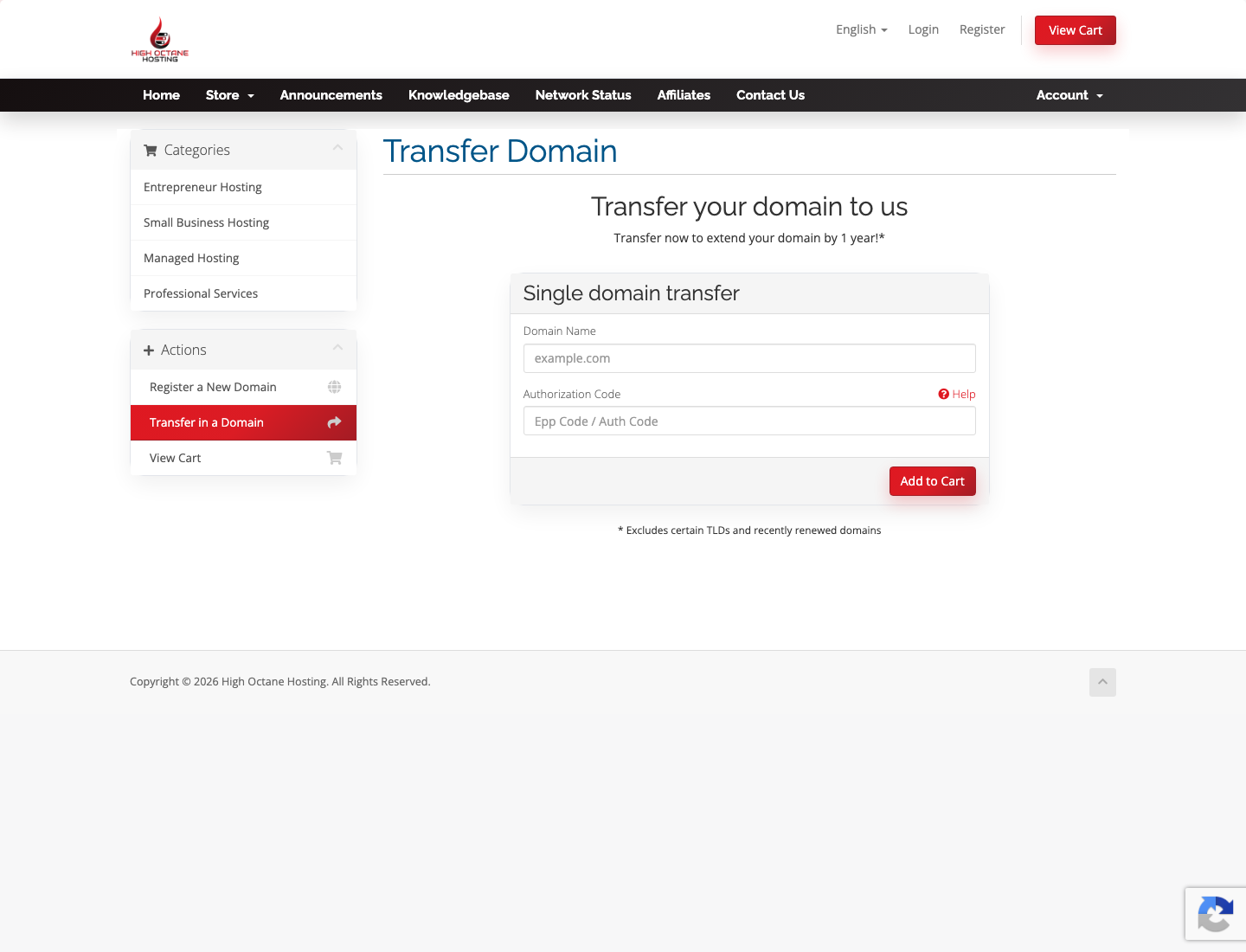 High Octane Hosting transfer form. Use this after you unlock the domain and copy the provider auth code.
Builder-platform note: moving the domain does not automatically move the website content. Open a ticket if you also want High Octane Hosting to migrate the website, email, DNS records, or store-related settings.